


SmartWatch & BT Sync Watch App
4.22.70K Reviews
App Specs
- Version
- 428.0
- Updated On
- License
- Free
- Downloads
- 10,000,000+
- Developer
- Devolutionapps
- Categories
- Communication
- Platform
- Android
Screenshots
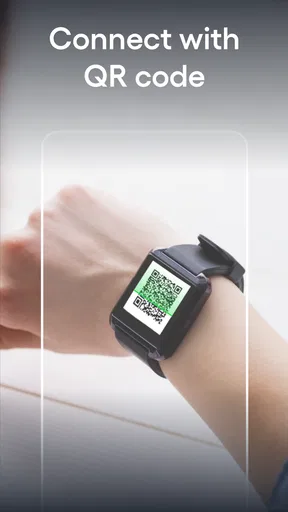
 Analysis by AppCompare
When I want a watch to make a phone easier to check rather than give me another screen to manage, I start with a simple question: will the two devices stay in touch in the moments I actually need them? SmartWatch & BT Sync Watch App is a communication app from Devolutionapps built around that phone-to-watch connection. Its focus is Bluetooth notification syncing, so the useful outcome is not a pile of new information but a quick glance at alerts without reaching for the handset.
That distinction matters before installing it. I would approach the app as a companion for keeping a compatible smartwatch connected to a phone, not as a guaranteed replacement for the watch maker’s own software or as an all-purpose health platform. The app is free to install, rated for Everyone, and has in-app purchases, so I’d check the purchase prompts carefully if I only want the basic connection task. Its audience is broad: it has more than 10 million installs, an average rating of 4.0, and around 100,000 ratings, which suggests many people are at least considering this kind of everyday pairing tool.
Start with the job you need the watch to do
The most useful way to judge a Bluetooth notifier is to begin with a real routine rather than a feature checklist. Picture getting ready for work, placing your phone in a bag, and wanting to notice an important call or message while walking between rooms or commuting. If the watch can show the alert reliably, you can decide whether to take out the phone; if it cannot, the connection has not solved the problem that brought you to the app.
That makes this app a better fit for people who already own a smartwatch and mainly want alerts to cross over from phone to wrist. It may also suit someone trying to avoid repeatedly checking a phone during a class break, a household task, or a walk. I would skip it if I expected a Bluetooth utility alone to add sophisticated watch apps, detailed health analysis, or every interaction offered by a watch manufacturer’s ecosystem. Those are different jobs, and the phone’s native companion app or the watch maker’s own tool is usually the more sensible first choice for them.
Before pairing, I’d check that the watch itself is ready to connect and that Bluetooth is enabled on the phone. If another companion app already manages the same watch, I would avoid starting two connection workflows at once. Competing apps can make it unclear which one is responsible for alerts, and that uncertainty is frustrating to troubleshoot later. A clean starting point gives you a better chance of identifying whether a problem comes from the watch, the phone, or this app.
First Impressions
As soon as I launched the SmartWatch & BT Sync Watch App, I was greeted with a clean and intuitive interface. It's like the app designers knew exactly how to make tech feel less intimidating. The layout is straightforward, with easy-to-navigate menus that don’t require a tech degree to understand.
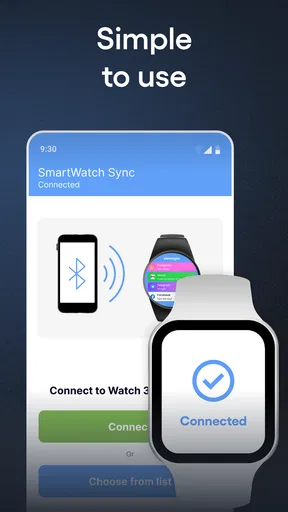
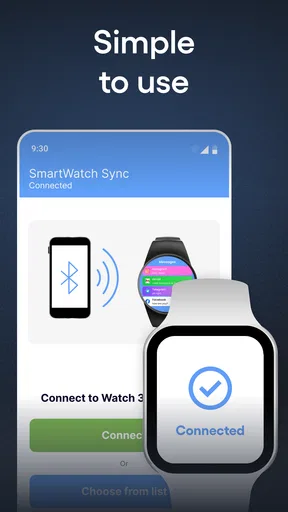
The initial setup was a breeze. I paired my smartwatch with my phone in less than five minutes. The Bluetooth connection was stable, and I was pleasantly surprised by the lack of any hiccups during the process. For someone who's not always the most patient with tech, this was a big win.
Worth Reading Before You Choose

Flipboard Shows What News Apps Must Do Beyond the Feed

Switching to Android Auto Means Rethinking Your Driving Routine

Google Calendar Makes a Crowded Week Easier to Manage

Ludo King Makes the Most of the Minutes Between Plans

Baby Panda World Brings Quick Play to Modern Phones, but Its Game Library Feels Busy

ESPN’s Live Game View Makes Following Close Games Easier
Features Galore
Once you’re all set up, the app opens a world of possibilities. You can customize notifications, manage music, track fitness metrics, and even respond to messages right from your wrist. It’s like having a mini command center strapped to your arm.
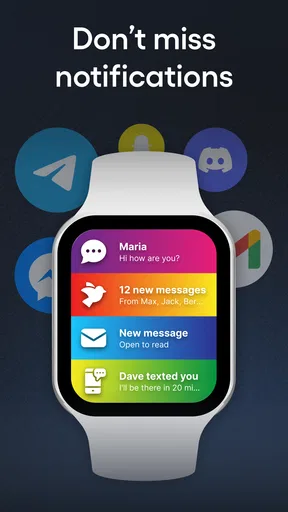
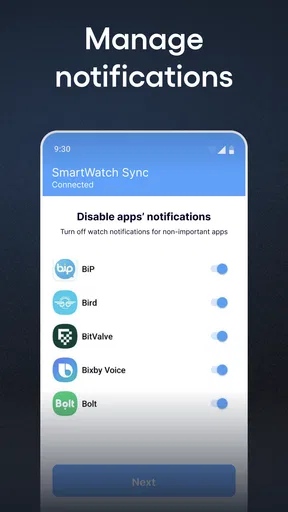
The notification management feature is a lifesaver. You can choose which apps can send alerts to your smartwatch, helping you avoid unnecessary distractions. I especially loved being able to control music playback without having to fumble around with my phone during a workout.
And speaking of workouts, the fitness tracking capabilities are pretty robust. The app syncs effortlessly with health data, giving you insights into steps, heart rate, and even sleep patterns. It's not just about collecting data; it’s about making sense of it. The app provides easy-to-read charts and summaries, making it simple to track progress over time.
Smooth Sailing with Connectivity
Connectivity is often where many apps stumble, but not this one. The Bluetooth connection remained solid even during my daily runs. It’s almost like the app understands the importance of staying connected in real-time. No more missed calls or notifications because of a spotty connection.
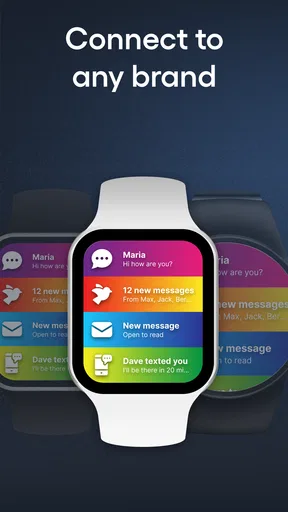
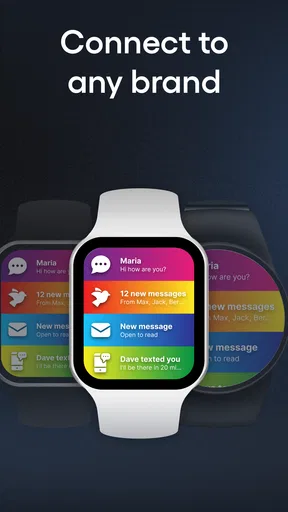
Moreover, the app supports a wide range of smartwatches, so you’re not limited to just one brand or model. This flexibility is a big plus for someone like me who likes to switch devices without worrying about compatibility issues.
Make the handoff useful, not noisy
Once the watch and phone are paired, the next practical decision is what should cross over. I would begin with only the alerts I genuinely need to notice away from the phone, then use the watch for a normal day before adding more. This small trial makes it easier to spot whether a particular app is useful on the wrist or simply adds another buzz. A watch is most helpful when it filters attention, not when it reproduces every interruption from the phone.
For example, during a work session I might want calls and time-sensitive messages but not every social update. On a walk, I might reverse that choice if I am expecting a message from someone I am meeting. The value is in adjusting the handoff to the situation. If a watch has its own notification controls, I would check how those interact with the phone-side choices rather than assuming one setting automatically governs both devices.
Music control is a different kind of handoff: the phone can stay in a pocket while the watch acts as a convenient remote. That is useful during exercise or chores, but it is not the same as storing music on the watch or playing it independently. I would treat it as a way to reduce handling the phone, not as a promise that the watch replaces the phone as the audio source.
Usability and Performance
Usability is where the app truly shines. The learning curve is minimal, making it accessible for both tech enthusiasts and newbies alike. The menus are logically organized, and the app's performance is snappy, with no noticeable lag or crashes.
Battery life is another critical area, and I was impressed by how the app managed resources. My smartwatch didn’t drain as quickly as I feared, thanks to the app's optimized performance. It’s clear that the developers put in the effort to balance functionality with efficiency.
What to check when a notification goes missing
If an alert fails to appear, I would troubleshoot in a deliberate order instead of immediately pairing everything again. First, I’d check whether the phone received the original notification; a watch cannot pass along an alert the phone never showed. Next, I’d confirm that the relevant app is included in the watch-notification selection and that the Bluetooth connection is still active. This separates a notification-setting issue from a connection issue and avoids needless resets.
If alerts arrive inconsistently, I’d also consider the everyday conditions around the phone and watch: whether the devices have been separated, whether the phone’s Bluetooth connection has changed, and whether another watch utility is trying to handle the same job. A single successful pairing is not proof that every alert will always arrive under every circumstance. The sensible test is to try a few kinds of notifications during an ordinary routine and see whether the behavior is dependable enough for the alerts that matter to you.
There is also a useful privacy and comfort trade-off in choosing which apps to forward. Showing fewer alerts reduces wrist interruptions and limits how much message content is exposed on a watch that may be visible to people nearby. I’d keep sensitive conversations off the wrist if a glanceable preview would feel uncomfortable, even if the phone app makes forwarding easy. Convenience is only a win when the notification choice suits the setting.
Where this approach fits among alternatives
Compared with relying only on the phone’s built-in Bluetooth settings, a dedicated notifier can make the phone-to-watch task feel more direct, particularly when you want to manage which app alerts reach the wrist. Compared with a manufacturer’s own companion app, though, a general Bluetooth sync utility may not be the best home for every watch function. The maker’s software is the safer starting point for device-specific setup and features; this app makes most sense when your priority is the notification connection and its controls.
That difference is especially important if you own a watch with a mature companion ecosystem. I would not replace a working manufacturer app just to add another layer unless I had a clear problem to solve. On the other hand, someone with a watch that mainly needs a straightforward notification bridge may value a focused option more than a larger suite of features they never use. The right choice depends less on how many functions sound impressive and more on which app reliably completes your own handoff from phone to wrist.
The app is free, but in-app purchases range from $0.99 to $89.99 per item. I’d look at the exact purchase screen before confirming anything and decide whether the option addresses a need I actually have. The free entry point makes it easy to assess the basic experience, while the broad purchase range is a reason to avoid tapping through prompts casually. Its current version is 424.0 and it requires Android 7.0 or later, details worth checking against the phone you plan to use.
The Final Verdict
Wrapping it up, the SmartWatch & BT Sync Watch App is a fantastic tool for anyone looking to get the most out of their smartwatch. Whether you’re a fitness buff, a music lover, or just someone who wants to stay connected without being tethered to your phone, this app delivers on all fronts.
It's not just about the features, but how they come together to create a seamless and enjoyable user experience. The app does an excellent job of bridging the gap between your smartwatch and smartphone, transforming them into a cohesive ecosystem.
So, if you're on the hunt for an app that enhances your smartwatch experience, look no further. Give it a spin and see how it changes the way you interact with technology on a daily basis.
Who I’d recommend it to
I’d recommend trying it if you already have a Bluetooth smartwatch, want a simple route for phone notifications to reach your wrist, and are willing to spend a little time choosing what deserves an alert. The app’s communication focus is most compelling for people who want fewer phone checks, not for someone shopping for a full watch platform. Devolutionapps has built an app with a clear everyday purpose, and its free starting point makes it possible to judge whether that purpose matches your routine.
I would choose another option if my priority were deep integration with one particular watch, broad device-specific controls, or a health record that I rely on for ongoing decisions. In those cases, the watch maker’s own companion app is the more appropriate place to begin. I’d also pass if I did not own a compatible smartwatch or if I rarely need phone alerts on my wrist; an extra connection layer has little value when it does not solve a real inconvenience.
My practical advice is to judge the app by a small, ordinary test: pair the devices, forward only a few useful alerts, and see whether they arrive during the moments when your phone is put away. If that works, expand the selection slowly. If it does not, use the troubleshooting order above before adding another app or changing several settings at once. That gives you a fair sense of whether this particular phone-to-watch link earns a place in your daily routine.
Pros
- Seamless Bluetooth connectivity.
- User-friendly interface.
- Customizable watch faces.
- Efficient battery usage.
- Real-time notifications.
Cons
- Limited support for older devices.
- Occasional sync delays.
- Some features require premium.
- Ads in free version.
- Limited offline functionality.
FAQs for SmartWatch & BT Sync Watch App
What features does the SmartWatch & BT Sync Watch App offer?
The SmartWatch & BT Sync Watch App provides a comprehensive suite of features including real-time notifications, fitness tracking, and customizable watch faces. It syncs seamlessly with your smartphone to offer call and message alerts, calendar reminders, and health metrics like step count and heart rate monitoring. It also supports third-party app integrations, enhancing its utility.
Is the SmartWatch & BT Sync Watch App compatible with all devices?
The app is compatible with most Android and iOS devices, but it’s important to check the specific system requirements before downloading. It typically requires Android 6.0 or later and iOS 11.0 or later. Ensure your device has Bluetooth capabilities for optimal syncing and functionality with your smartwatch.
How secure is my data with the SmartWatch & BT Sync Watch App?
Your data security is a priority with the SmartWatch & BT Sync Watch App. It employs encryption to protect personal information and health data. The app does not share data with third parties without consent, and users have the option to manage data sharing settings through the app’s privacy controls.
Does the app consume a lot of battery power?
The SmartWatch & BT Sync Watch App is designed to be energy-efficient. While continuous Bluetooth connectivity may impact battery life, the app includes settings to optimize power usage. Users can adjust notification frequency and choose which features to activate, helping to conserve both smartphone and smartwatch battery.
Are there any subscription fees for using the app?
The SmartWatch & BT Sync Watch App is free to download and use, with basic features available at no cost. However, it offers premium features through a subscription model, including advanced analytics and exclusive watch faces. Users can opt for a monthly or annual subscription to access these additional features.


